
Spinaud in Your Pocket
We built the Spinaud app so you can load Gates of Olympus or an Evolution live table in a few taps and pay in AUD or crypto. Do the maths on the welcome deal: a A$50 deposit becomes A$100 to play with, plus 100 free spins on top.

Introducing the Spinaud Casino App
A casino, live tables and a sportsbook in one mobile account.
We built the Spinaud app so a single login covers everything we offer: slots, live dealer tables, poker and a sportsbook. You don't need a second wallet or a second account for betting. Your AUD balance, your bonus progress and your bet history all sit on one screen.
The game library comes from Evolution, Pragmatic Play, NetEnt and Push Gaming. Gates of Olympus, Book of Dead and Starburst are the three titles our players open most often, and each one loads in portrait mode without stretching the reels. Evolution's live studios stream at a resolution that holds up on mobile data, which matters if you play on the bus rather than on home Wi-Fi.
The welcome offer is a 100% match plus 100 free spins. A 100% match means a A$50 deposit gives you A$100 to play with. That doubles your money, but read the wagering terms before treating the bonus half as cash. Bonus funds have to be turned over before you can withdraw them, so work out how much play that takes.
You can deposit with Visa, Mastercard, Skrill, Neteller or Paysafecard, or with crypto such as Bitcoin, Ethereum, Litecoin, TRON and USDT. Support is available by live chat, email and phone from inside the app.
Mobile Site vs App: Which One Should You Use?
A plain side-by-side look at both ways to play Spinaud on your phone.
Both options load the same lobby, the same 100% welcome bonus with 100 free spins and the same games from Evolution, Pragmatic Play, NetEnt and Push Gaming. The real differences are storage, data use and how fast you get back into a session.
I ran a rough test on my own phone. Opening Gates of Olympus in the browser took a few seconds longer than in the app, but the browser used no storage at all. If your phone is nearly full, that matters more than a short wait. If you play most evenings, the app saves those seconds every time and keeps you logged in.
Payments work the same either way. Bitcoin, USDT, Skrill, Visa and Paysafecard all show up in the cashier, and deposits land in AUD at the same rate. Neither version gives you a better bonus, so pick the one that suits your phone and your habits.
| Feature | Mobile site | App |
|---|---|---|
| Installation | None, open in any browser | One-time download |
| Storage used | Almost none | Takes some phone space |
| Login | Sign in each session unless saved | Stays signed in, faster return |
| Game library | Full lobby incl. Book of Dead, Starburst | Full lobby, same titles |
| Loading speed | Depends on browser and connection | Usually quicker on repeat visits |
| Notifications | Not available | Optional promo and payout alerts |
| Welcome bonus | 100% + 100 free spins | 100% + 100 free spins |
| Payment methods | Crypto, e-wallets, cards, Paysafecard | Same cashier, same options |
| Live casino | Evolution tables in browser | Evolution tables in app |
| Updates | Automatic, always current | Occasional app updates needed |
| Support | Live chat, email, phone | Live chat, email, phone |
Downloading Spinaud on Android
Get the APK straight from our site and set it up in a few minutes.
Our Android app comes as an APK file from the Spinaud website, not from the Play Store. It gives you the same lobby as the desktop site: Gates of Olympus, Book of Dead, Starburst, live tables from Evolution and the sportsbook, all in AUD.
Here is the maths for anyone on a tight budget. The welcome offer is a 100% match plus 100 free spins, so a A$50 deposit gives you A$100 to play with. You get exactly the same offer in the app as in a mobile browser. The app's real advantages are faster loading and saved logins. Deposits through Skrill, Neteller, Visa or USDT work the same way in both, so you don't lose any value by choosing one over the other.
Use Chrome or another mobile browser, scroll to the footer and tap the Android download button.
Android will ask for permission to install apps from your browser. Allow it for this one install, then switch the setting off again later if you like.
Tap the downloaded file, confirm the install, then launch Spinaud from your home screen.
Sign in with your existing account or create a new one. Then pick a payment method and claim the 100% bonus with 100 free spins.
Installing Spinaud on iOS
Add Spinaud to your iPhone or iPad home screen in under two minutes.
We don't make you go through the App Store. On iPhone and iPad, Spinaud installs from Safari as a web app, so it takes up almost no storage and updates itself whenever we push changes. You keep the same account, the same AUD balance and the same 100% bonus with 100 free spins that you see on desktop.
Here's how I'd think about it as someone counting every dollar: a native app might use 150 MB or more, while the home-screen version needs only a few MB of cache. On a 64 GB phone that space adds up. Gates of Olympus, Book of Dead and Starburst all load in the same window, and live tables from Evolution run in portrait or landscape.
Go to the Spinaud site in Safari. Chrome and other iOS browsers don't always show the install option, so use Safari for this step.
Press the square icon with the arrow at the bottom of the screen to open the share menu.
Scroll down, pick 'Add to Home Screen', keep the name Spinaud and tap Add.
Launch the new icon, sign in, and turn on Face ID if you want faster logins next time.
Top up with Visa, Mastercard, Skrill, Neteller or crypto such as Bitcoin, USDT or Litecoin, then claim your welcome offer.
Full App Features
What you actually get on your phone, from game lobby to cashier, and what it costs you in time and data.
The app has the same library as desktop, with slots from Pragmatic Play, NetEnt and Push Gaming. Gates of Olympus, Book of Dead and Starburst all load in portrait mode, so you can play with one hand on the bus.
Evolution streams its roulette, blackjack and game shows straight to the app. If your connection drops, the stream switches to a lower quality instead of kicking you out of the round.
Sportsbook markets sit in their own tab next to casino and poker. You can build a bet slip and check open bets without leaving the screen you're on.
Deposit in AUD with Visa, Mastercard, Skrill, Neteller or Paysafecard, or use Bitcoin, Ethereum, Litecoin, TRON and USDT. Crypto withdrawals skip card processing, which usually means less waiting.
The welcome offer is 100% plus 100 free spins. Deposit A$50 and you play with A$100, so every dollar you put in is matched once. The tracker shows how much wagering you still have left.
Live chat opens from any page. Email and phone are listed in the same menu for longer questions.
Spinaud App Screenshots
Six screens that show where your deposit, bonus and games actually live.
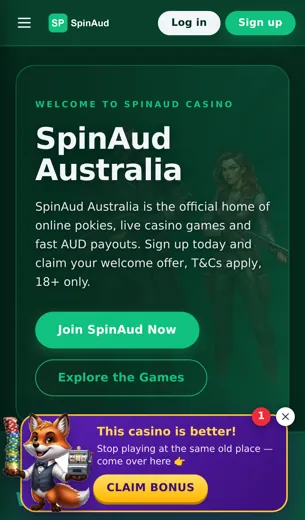
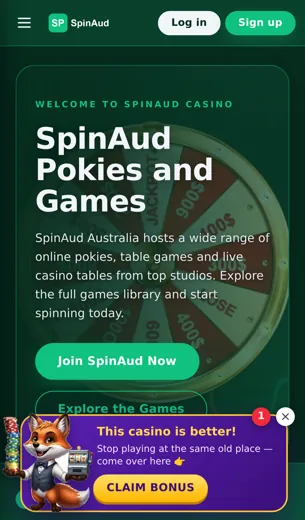
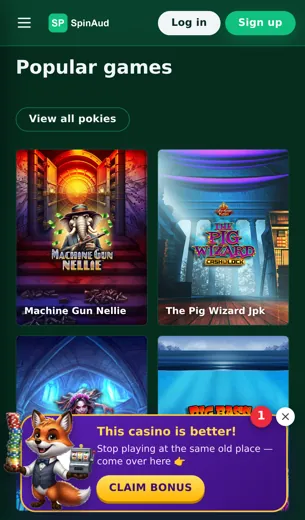
Before I install any casino app, I want to see where the money goes. That's why we put the main Spinaud screens below, so you can check the layout before you download anything. The lobby opens on the slots you'll use most: Gates of Olympus, Book of Dead and Starburst sit near the top, and live tables from Evolution are one tap away.
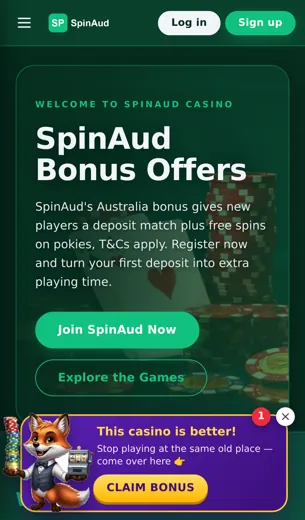
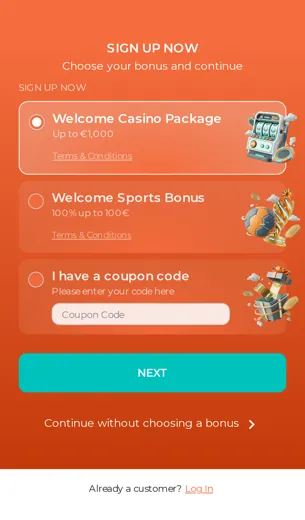
The cashier is worth a close look. Bitcoin, Ethereum, USDT, Skrill, Neteller, Visa and Mastercard all sit on one screen with AUD amounts, so you aren't guessing at conversions. The bonus page lays out the 100% match and 100 free spins in plain numbers. Here's the simple maths: a 50 AUD deposit becomes 100 AUD in play, plus the spins. Read the wagering line on that same screen before you opt in, because that number decides what the offer is really worth.
Sports and poker get their own tabs, and live chat stays pinned to the corner of every screen.
First Deposit Bonus
A 100% match plus 100 free spins on your opening deposit, worked through with simple maths.
Your first deposit at Spinaud is matched 100%, and we add 100 free spins on top. The maths is simple. Put in A$50 and you play with A$100. Put in A$200 and your balance shows A$400. The match doubles whatever you commit, so the extra value grows with your deposit. Your risk grows with it too.
The free spins are worth working out separately. Say each spin is valued at A$0.20. Then 100 spins add about A$20 of play. On a A$50 deposit that is a big share of the offer. On a A$200 deposit it is a small extra. Smaller deposits get more out of the spins in proportion.
You can fund the bonus with Visa, Mastercard, Skrill, Neteller, Paysafecard or crypto such as Bitcoin, Ethereum, Litecoin, TRON and USDT. Bonus funds work on slots from Pragmatic Play, NetEnt and Push Gaming, including Gates of Olympus, Book of Dead and Starburst. Before you claim, read the wagering requirement and the maximum bet rule. A 35x requirement on a A$100 bonus means A$3,500 in total bets. That figure, more than the headline, tells you what the offer is really worth.
Spinaud App FAQ
Short answers on bonuses, payments, games and support on mobile.
Do I need to download anything to play on my phone?
No. Spinaud runs in your mobile browser, so you can sign in and play without installing a large file. You can also save the site to your home screen so it opens like an app.
Can I claim the welcome bonus through the app?
Yes. The offer is a 100% match plus 100 free spins. If you deposit 50 AUD, the match gives you 100 AUD to play with. Check the wagering terms first so you know what the bonus is really worth.
Is my account the same on mobile and desktop?
Yes. You use one login, and your balance, bonuses and history are the same on every device.
Which payment methods work on mobile?
Visa, Mastercard, Skrill, Neteller, Paysafecard, Bitcoin, Ethereum, Litecoin, TRON and USDT (Tether).
Are crypto withdrawals faster?
Crypto payouts usually clear sooner than card payouts once your account is verified, since banks don't need to process them.
Which games run well on a phone?
Gates of Olympus, Book of Dead and Starburst all play smoothly on a small screen. They come from Pragmatic Play, Play'n GO and NetEnt.
Can I play live dealer tables?
Yes. The Evolution live tables stream in the app. A stable Wi-Fi connection gives you the cleanest picture.
Is sports betting in the app?
Yes. Sports, casino, slots, live casino and poker are all in the same menu.
How do I contact support from my phone?
Live chat is the quickest option. You can also reach the team by email or phone.
Is the app licensed?
Spinaud holds a Curaçao eGaming licence. You'll find the full details in the licence section at the bottom of this page.
Does the app use a lot of mobile data?
Slots use very little data. Live dealer streams use the most, so if you have a small data plan, save those for Wi-Fi.